How to Make Your First Deposit on Emerald Empire (PHP 100 Minimum)
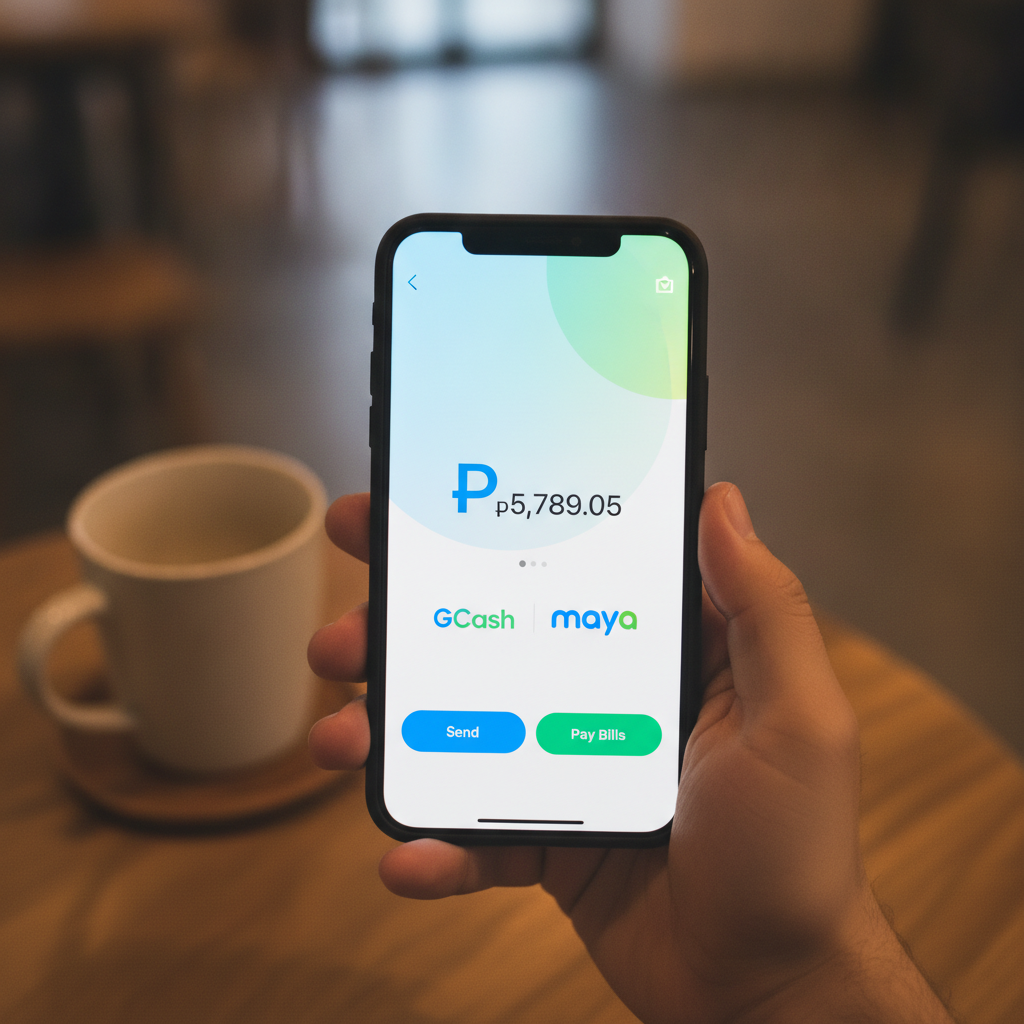
Emerald Empire Minimum Deposit Explained
Emerald Empire sets its minimum deposit at PHP 100, making it accessible for Filipino players who want to try online casino games and sports betting without committing a large amount upfront. This entry point lets you explore slots, live dealer tables, and PBA or NBA betting with a modest bankroll.
The PHP 100 minimum applies across all three payment methods supported by the platform: GCash, Maya, and bank transfer through InstaPay or PESONet. Whether you're in Metro Manila or the provinces, you can fund your account using the e-wallet or banking option that's already on your phone.
Before you deposit, make sure you've completed the Emerald Empire register process and verified your identity. The platform requires players to be 21 years old or older. Once your account is active, you're ready to add funds and start playing.
Step-by-Step Deposit Walkthrough from the Cashier Page
Making your first deposit on Emerald Empire is straightforward. Most players complete the process in under five minutes. Here's how to do it from start to finish:
1. Log in to your Emerald Empire account
Open the Emerald Empire site on your mobile browser or app. Tap the login button and enter the username and password you created during the Emerald Empire register process.
2. Navigate to the Cashier or Deposit section
Once logged in, look for a button labeled "Deposit," "Cashier," or a wallet icon, usually found in the top-right corner or main menu. Tap it to open the deposit interface.
3. Select your payment method
You'll see three options: GCash, Maya, or Bank Transfer. Choose the one that matches the account or e-wallet you plan to use.
4. Enter the deposit amount
Type in the amount you want to deposit. Remember, the minimum is PHP 100. If you try to enter less, the system will prompt you to meet the minimum threshold. There's no need to deposit more than you're comfortable with—start small and add more later if you wish.
5. Confirm the transaction
After entering the amount, review the details on the screen. Check that the payment method and amount are correct, then tap "Confirm" or "Proceed."
6. Complete payment in your e-wallet or banking app
Depending on your chosen method, you'll either be redirected to the GCash or Maya app, or you'll receive bank transfer instructions. Follow the prompts to authorize the payment. You may need to enter your e-wallet PIN, mobile number, or bank login credentials.
7. Return to Emerald Empire
Once the payment is confirmed, you'll be taken back to the Emerald Empire cashier page. A confirmation message should appear, and your balance will update shortly.
If you encounter any issues during the process, double-check that you're using the correct payment details and that your e-wallet or bank account has sufficient funds. For troubleshooting specific to e-wallets or mobile apps, refer to dedicated guides or contact Emerald Empire's customer support.
Choosing GCash, Maya, or Bank Transfer (InstaPay/PESONet)
Each deposit method has its own advantages. Your choice will depend on which service you already use and how quickly you want the funds to appear in your Emerald Empire account.
GCash
GCash is the most popular e-wallet in the Philippines, and many Emerald Empire players prefer it for deposits. If you already have a verified GCash account with a balance of at least PHP 100, the process is nearly instant.
To deposit via GCash:
- Select GCash in the Emerald Empire cashier
- Enter your deposit amount (PHP 100 or more)
- Confirm the transaction
- You'll be redirected to the GCash app or web interface
- Log in, verify the payment details, and authorize
- Return to Emerald Empire to see your updated balance
GCash deposits typically reflect within one to five minutes, making it ideal if you want to start playing right away.
Maya
Maya (formerly PayMaya) is another widely used e-wallet in the Philippines. The deposit process is nearly identical to GCash.
To deposit via Maya:
- Choose Maya in the cashier section
- Enter the amount you wish to deposit
- Confirm and proceed
- Log in to your Maya app when prompted
- Approve the transaction
- Return to Emerald Empire
Maya deposits also appear quickly, usually within one to five minutes. If you already use Maya for everyday purchases or bills, it's a convenient option for funding your casino account.
Bank Transfer (InstaPay/PESONet)
If you don't use e-wallets or prefer to deposit directly from your bank account, Emerald Empire accepts transfers via InstaPay and PESONet. This option works with most major Philippine banks, including BDO, BPI, Metrobank, UnionBank, and others.
InstaPay is the faster of the two. Transfers are processed in real time and typically reflect in your Emerald Empire account within 15 to 30 minutes. InstaPay operates 24/7, so you can deposit any time, day or night.
PESONet is a batch-processing system. Deposits made via PESONet can take one banking day to appear in your account. If you deposit on a weekend or public holiday, expect a delay until the next business day. For this reason, most players choose InstaPay or an e-wallet if they want to play immediately.
To deposit via bank transfer:
- Select "Bank Transfer" in the Emerald Empire cashier
- Choose InstaPay or PESONet
- Note the bank details provided (account name, account number, reference code)
- Open your mobile banking app
- Send the transfer to the account details shown
- Return to Emerald Empire and wait for the deposit to reflect
Always double-check the reference code or deposit ID. Including it ensures your payment is credited to the correct Emerald Empire account.
How Long Deposits Take to Reflect in Your Account
Deposit speed varies by payment method. Here's a quick summary:
- GCash: 1–5 minutes
- Maya: 1–5 minutes
- InstaPay: 15–30 minutes
- PESONet: Up to one banking day
In most cases, your balance updates automatically once the payment provider confirms the transaction. You don't need to contact support or refresh the page repeatedly—just wait a few minutes and check your account balance.
If your deposit hasn't appeared after the expected window, check the following:
- Verify that the payment was successful in your e-wallet or banking app
- Confirm you entered the correct reference number or deposit ID
- Make sure you deposited at least PHP 100
- Check that your Emerald Empire account is fully verified
For delays longer than 30 minutes (for GCash, Maya, or InstaPay), or more than one banking day (for PESONet), reach out to Emerald Empire's customer support with your transaction receipt or reference number.
Tips for a Smooth First Deposit Experience
Start with the minimum. If this is your first time using Emerald Empire, deposit PHP 100 to get familiar with the platform. You can always add more funds later once you're comfortable navigating the games and betting options.
Use a verified e-wallet or bank account. GCash and Maya require identity verification before you can send funds. Complete the verification process in your e-wallet app before attempting a deposit. Similarly, ensure your online banking is active and you know your login credentials.
Keep your transaction receipts. Take a screenshot or save the confirmation message from your e-wallet or bank app. If there's a delay or issue, having proof of payment speeds up resolution.
Check your internet connection. Most players deposit from their phones, often while on the go. A stable connection helps prevent timeouts or incomplete transactions. If you're on mobile data, make sure you have a strong signal.
Deposit during off-peak hours if using PESONet. Since PESONet batches transfers, depositing early in the morning on a weekday gives you the best chance of same-day crediting. Avoid weekends and holidays if you need your funds immediately.
21+ and Responsible Gambling Reminders
Emerald Empire is for players 21 years of age and older. Online gambling is a form of entertainment, not a way to make money or solve financial problems. Only deposit amounts you can afford to lose.
Set a budget before you start playing. If you've decided PHP 100 or PHP 500 is your limit for the week, stick to it. Emerald Empire offers slots, live dealer games, and sports betting, but no outcome is guaranteed. The house always has an edge, and losses are part of the experience.
If you find yourself depositing more than planned, chasing losses, or feeling anxious about your balance, take a break. Seek help from a trusted friend, family member, or a local support service if gambling starts to feel like a problem.
Play responsibly, know your limits, and remember that Emerald Empire is designed for fun, not as a source of income.
Summary: Depositing on Emerald Empire starts at PHP 100 and takes just a few taps on your phone. Choose GCash or Maya for near-instant funding, or use InstaPay for a bank transfer that arrives in under 30 minutes. PESONet is slower but works if you're not in a rush. Complete the Emerald Empire register and verification steps first, pick your payment method in the cashier, and confirm the transaction in your e-wallet or banking app. Your balance will update automatically, and you'll be ready to explore slots, live dealer tables, and sports betting. Always play responsibly, set a budget, and remember this guide is for players 21 and over.